background

Ux Design
Professional Diploma | UX Case Study

Project I am working on as part my Professional UX Diploma course.

The aim is to identify pain points or wins in the flight booking process on an airline app, then apply the research & learnings to create my own airline app prototype.

The Problem

The goal of the project was to identify problematic areas when booking flights on an airline app, then design the solution.

So, what are the problems?

A majority of users opt to research & book their flights on desktop instead of mobile. There's a lack of confidence and a lack of ease of use in the mobile booking process.

Different devices encourage different thinking, where users trust their laptop/desktop more, so they inevitably fall back to their trusty big screen to make that important booking.

How can we optimise the mobile booking process to ensure confidence and perceived ease of use for the customer?

Some questions that will be addressed through the process:

  • What are the main goals and habits when booking a flight?
  • What pain point are users experiencing while booking flights on mobile?
  • Are there any issues that slow down flight and date selection?
  • Over complicated process for adding bags or oversized luggage?

The Process

I followed IDEO's Human-Centered Design and the
Lean UX Design Thinking process.


I chose the the below research methods as I felt this process was the best way to accumulate quantitative & qualitative data on users and competitors in the airline industry. This in turn would inform my design with a research & evidence based solution.

  • 1 Research

    Usability Tests
    Depth Interview
    Online Survey
    Competitive Benchmarking

  • 2 Analysis

    Anfinity Diagram
    Customer Journey Map

  • 3 Design

    Flow Diagram
    Defining Navigation
    Sketching

  • 4 Prototype

    Medium Fidelity
    Interactive prototype
    Wireframing

  • 5 Test

    Usability Tests
    Depth Interview

THE PROCESS
1
Research

For the research phase of the project I used the following methods: Usability Tests, Depth Interviews, Online Survey & Benchmarking.

Usability Tests

I conducted 2 Usability Tests which consisted of an interview and the completion of tasks on 2 airline apps. I conducted the interview during COVID-19 lockdown, using Zoom to record the interview, and Reflector to mirror the apps onto the screen.

Usability testing was the perfect tool to utilise while conducting comparison tests as it allowed me monitor and probe real a user on real airline apps. This approach could tell me a lot about how the user flows through the journey, what pain points they had, what they would like to see improved and also of course, highlight any positive aspects I could take across to my design.

TASKS

  • Book flight from Johannesburg to Amsterdam / Cape Town to London
  • Dates: depart first Friday of June
  • 11 nights for two people
  • “Okay, that's how that works. That seems a bit silly. Why would they.... I figured you would put in the departure date and the you would say select and it would take you to a new screen showing the return date.”
    David Jones
    Usability Test 1

image
Snippet from Usability Test 1

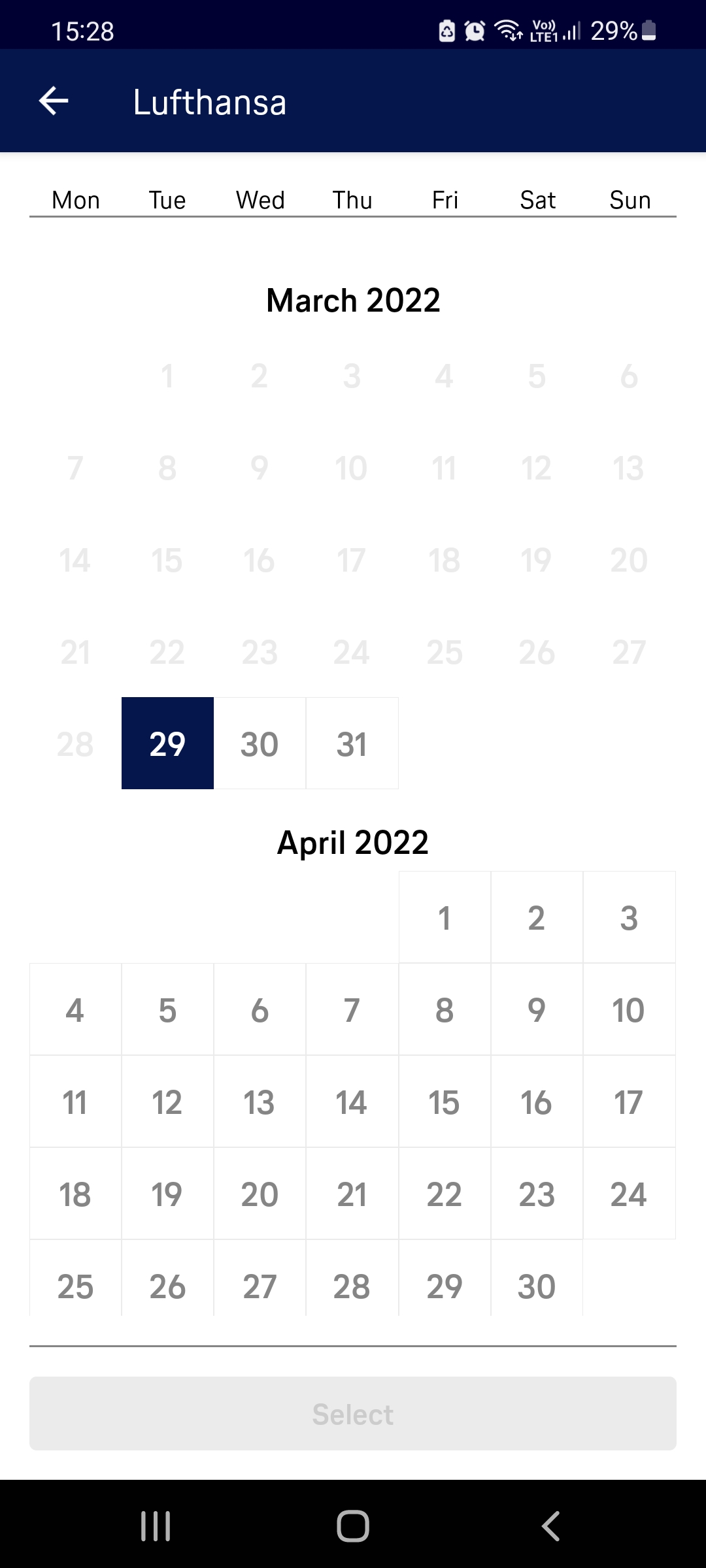
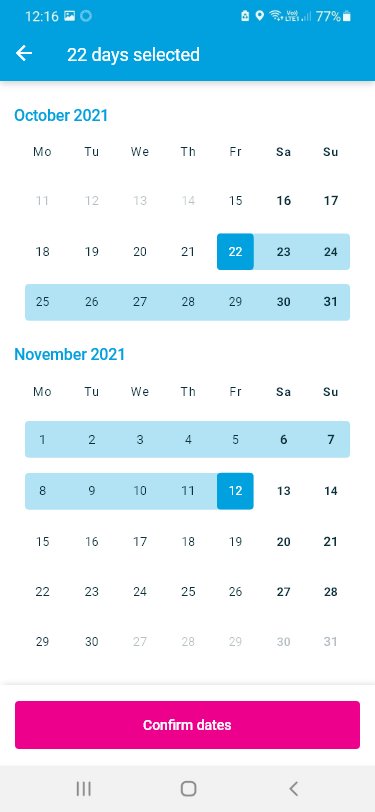
Date Selection

It became apparent that the date selection led to some confusion. There was a lack of feedback when dates were being selected which led users to be uncertain if they had chosen a date at all, especially on the outgoing selection.

  • “It doesn't seem to make much sense to me that they would, for your return trip, ask for Light or Standard. Because I would assume that you would come back with the same amount of luggage that you left with. That seems a bit redundant.”
    David Jones
    Usability Test 2

image
Snippet from Usability Test 2

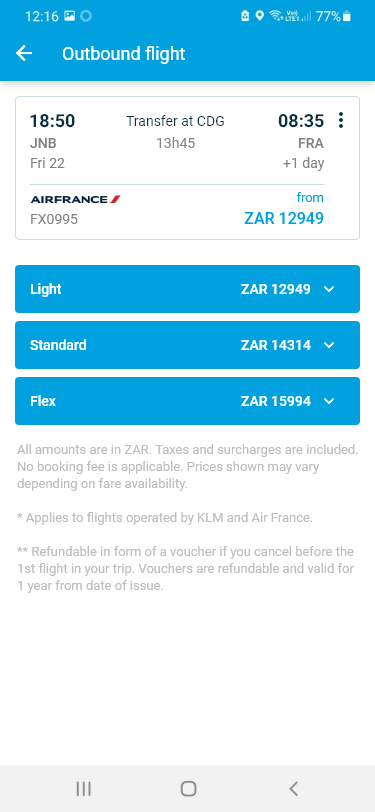
Flight Selection

Usability tests revealed that the additional information on flight fares is hugely important when selecting a flight. It's not just a "handy feature", it's what the user expects.

Depth Interview

I conducted a Depth Interview which consisted of questions relating to the user's occupation, where they live, their every day internet and app usage habits. I used this opportunity to probe further into past booking experiences and also expectations for booking apps. I conducted and recorded the interview over Zoom.

image
Snippet from Depth Interview
  • “Usually I would just go online and look for the cheapest flight and then depending on if it's on an app that I've already got, I'll just go onto the app and book it. But it depends on what I find on the internet first.”

Depth interviews gave me a better understanding of the context of use of people that use airline apps - what are they trying to do, who are they with, where are they, what devices are they use.

It validated my assumptions that there was a preference towards using their computer to make an airline booking as they felt they would be less inclined to make mistakes.

Survey

I sent out 1 Survey that was completed by 25 people. I used Survey Monkey for the form which consisted of 10 questions. To the get the maximum response, I outlined that there were just 10 questions and it would only take 3 mins. I used a mixture of open ended and closed questions.

image Screenshot from survey View full survey results ↗
  • “Make the steps clearer”
  • “Too many steps to complete booking”
  • “Too many additional add ons”

The survey revealed that the primary motivation for choosing an airline was price and one of the main improvements users would look for is to make the steps clearer with less distractions.

Competitive Benchmarking

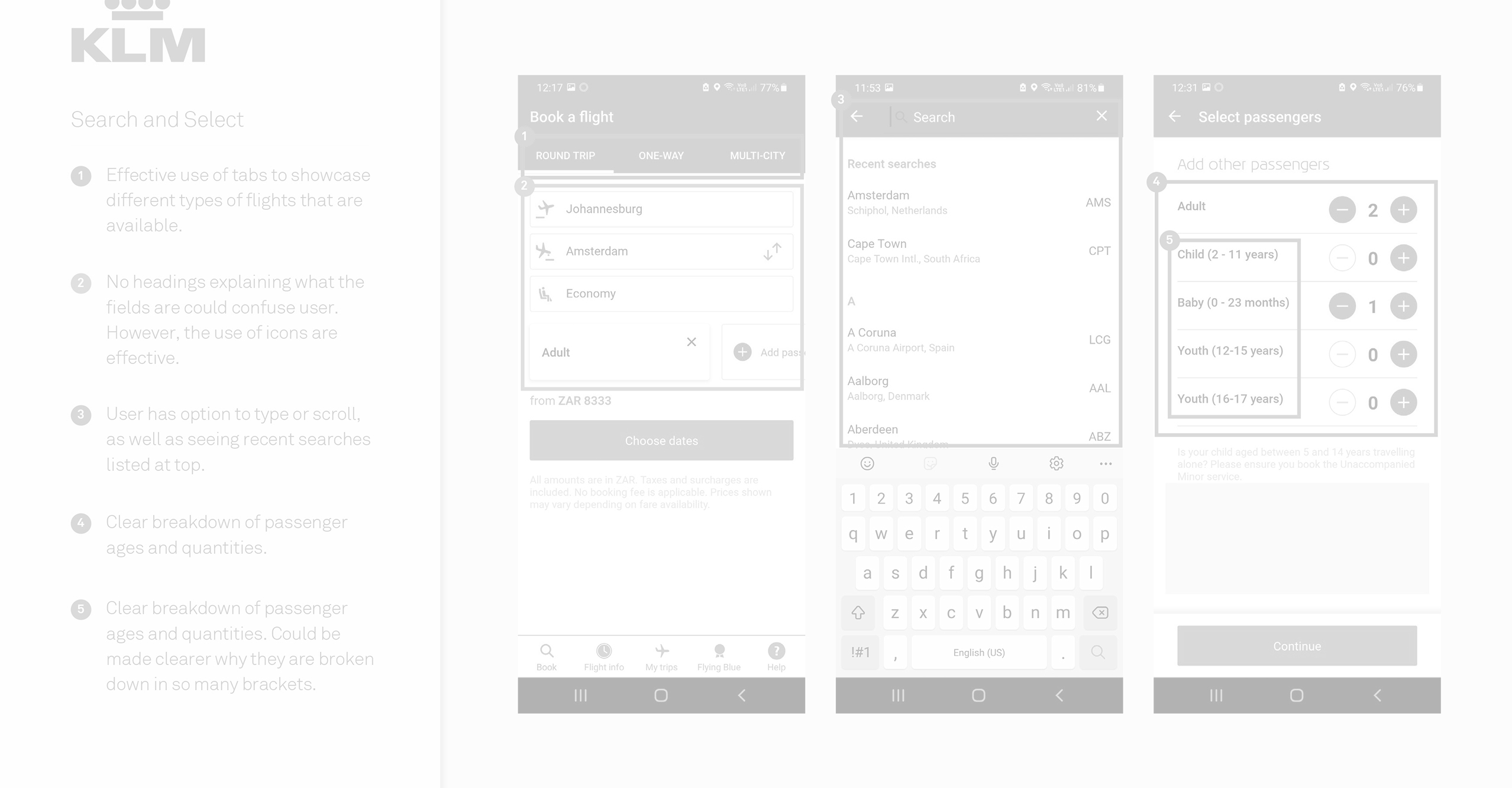
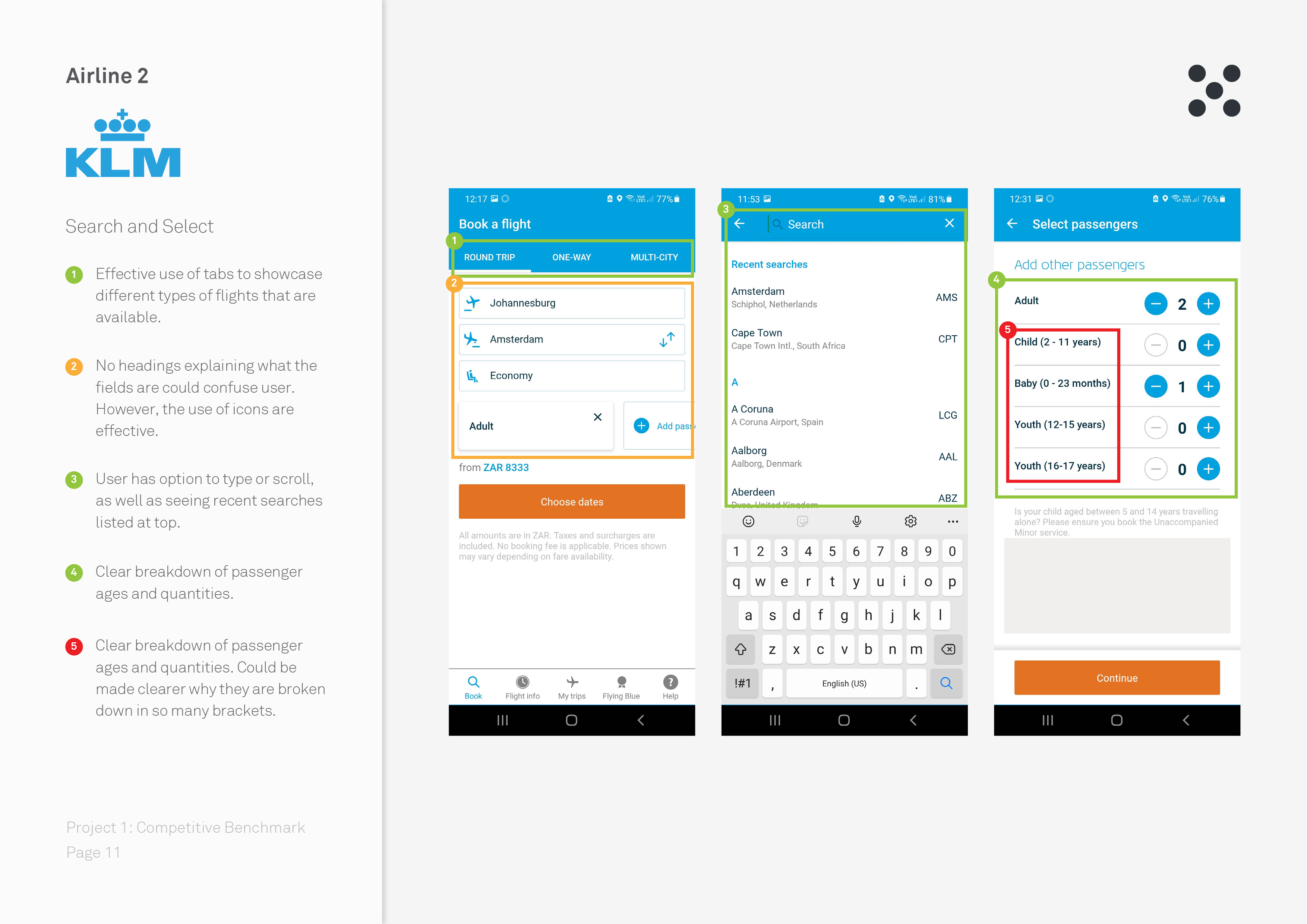
During the Competitive Benchmarking phase I reviewed four mobile airline apps and benchmarked them to learn what they are doing well…and not so well so that I could emulate them in the right places and avoid the pitfalls I discovered in their booking process. My main objectives here were were to:

  • Learn how best-in-class apps solve the problem we are trying to solve
  • Understand the conventions we should follow
  • Highlight best practice that we should emulate
THE PROCESS
2
Analysis

Through the research methods highlighted above, I acquired a large amount of raw data - both quantitative and qualitative. The goal of the research had been to identify the problems FLY UX should be solving for users. Now, using the triangulation (multiple data sources as a way to provide a more accurate understanding of the problem to be solved), it was time to analyse the data.

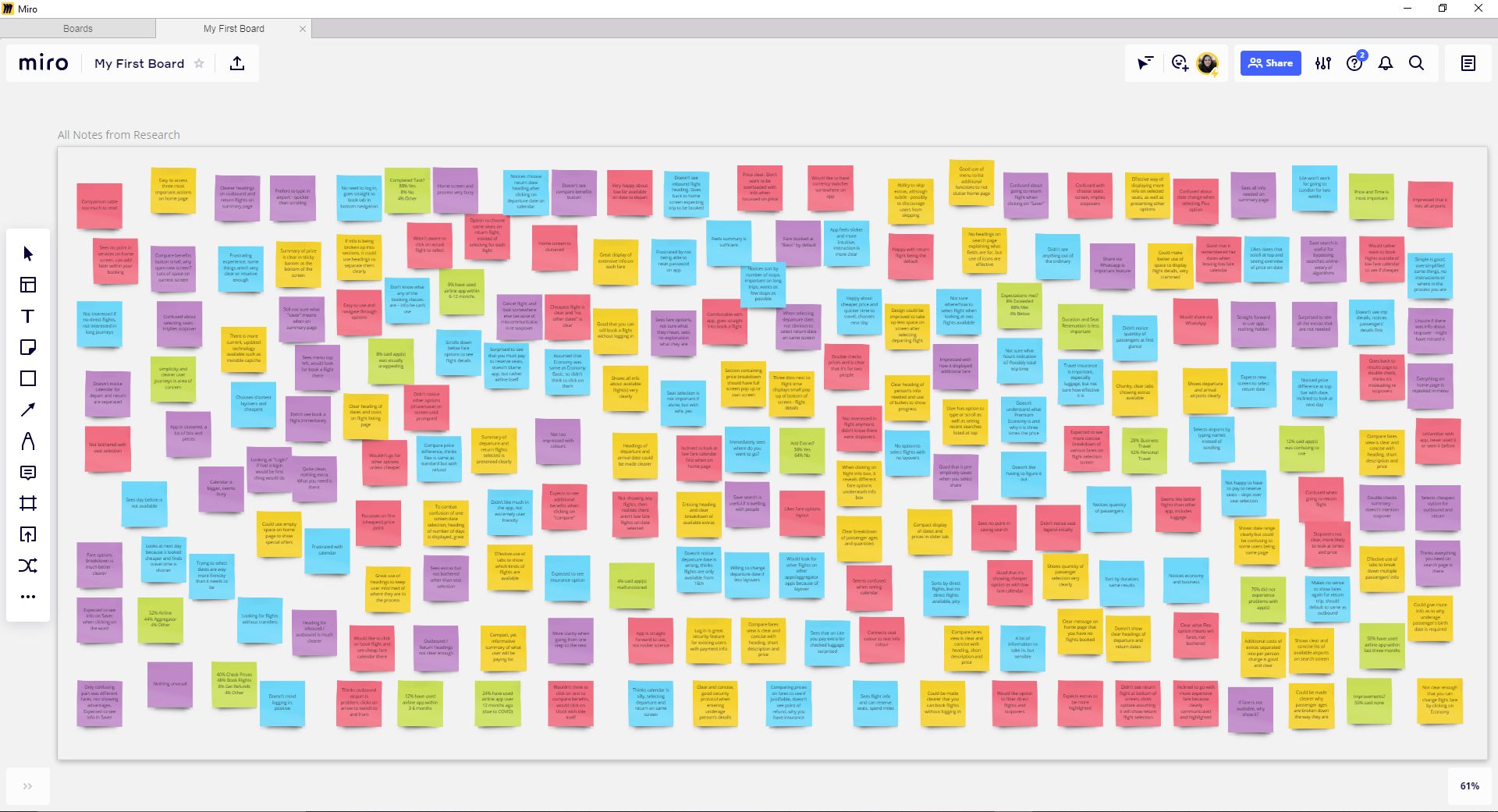
The first thing I did was review all the data that I had compiled, typing them out onto Miro post-its. From these post-its I created an Anfinity Diagram, grouping post-its and naming these groups in a logical fashion.

I then used the Affinity Diagram as a basis for my Customer Journey Map which gave me a structured overview of the of how the users feels as they go through the booking journey.

image Post-its in Miro
image Customer Journey Map
  • Image
    1. Date selection ambiguity

    User doesn't have clear affordances or feedback that the return date now needs to be selected.

  • Image
    2. Cluttered flight selection

    Too much going on on this screen leading user to become overwhelmed and confused.

Analysing Specific Problems

The analysis of the Affinity Diagram and construction of the Customer Journey Map led to the conclusion that the areas that slow down customers the most & lead to the most frustration in the journey are date selection, flight selection & editing your booking.


1: Date Selection
Specifically ran into difficulty when customers were confused as to what date they selected and what they should do next. There were also issues when you were allowed to select dates only to be told later that there was in fact no flights available on that date.

2: Flight Selection
This presented itself to be the biggest pain point and it appeared to revolve around the information architecture. Badly structured, overload of information and options led to confusion over outgoing & returning flights, flight availability & currency conversion.

The Process
3
Design

My design process would include Flow Diagram, Defining Navigation and Sketching

Flow Diagram

Before getting into the layout of the app, I wanted to create a high level Flow Diagram to address issues highlighted in my Customer Journey Map.

I first sketched out the general flow, getting very granular and going back and forth until I was happy with the iteration. I then translated my sketches to digital format using Adobe XD.

During the translation to digital I noticed other small issues I didn’t spot while sketching, so I began to dynamically update the flow as I worked and learned more about the journey.
This is something I would do throughout the project, a design is an evolving process that only lets you in on secrets the further you go.

image Flow Diagram

Sketching the Screens

Here I could build on the flow diagram and navigation I had already defined and really nail down the layout and interaction design of the screens.

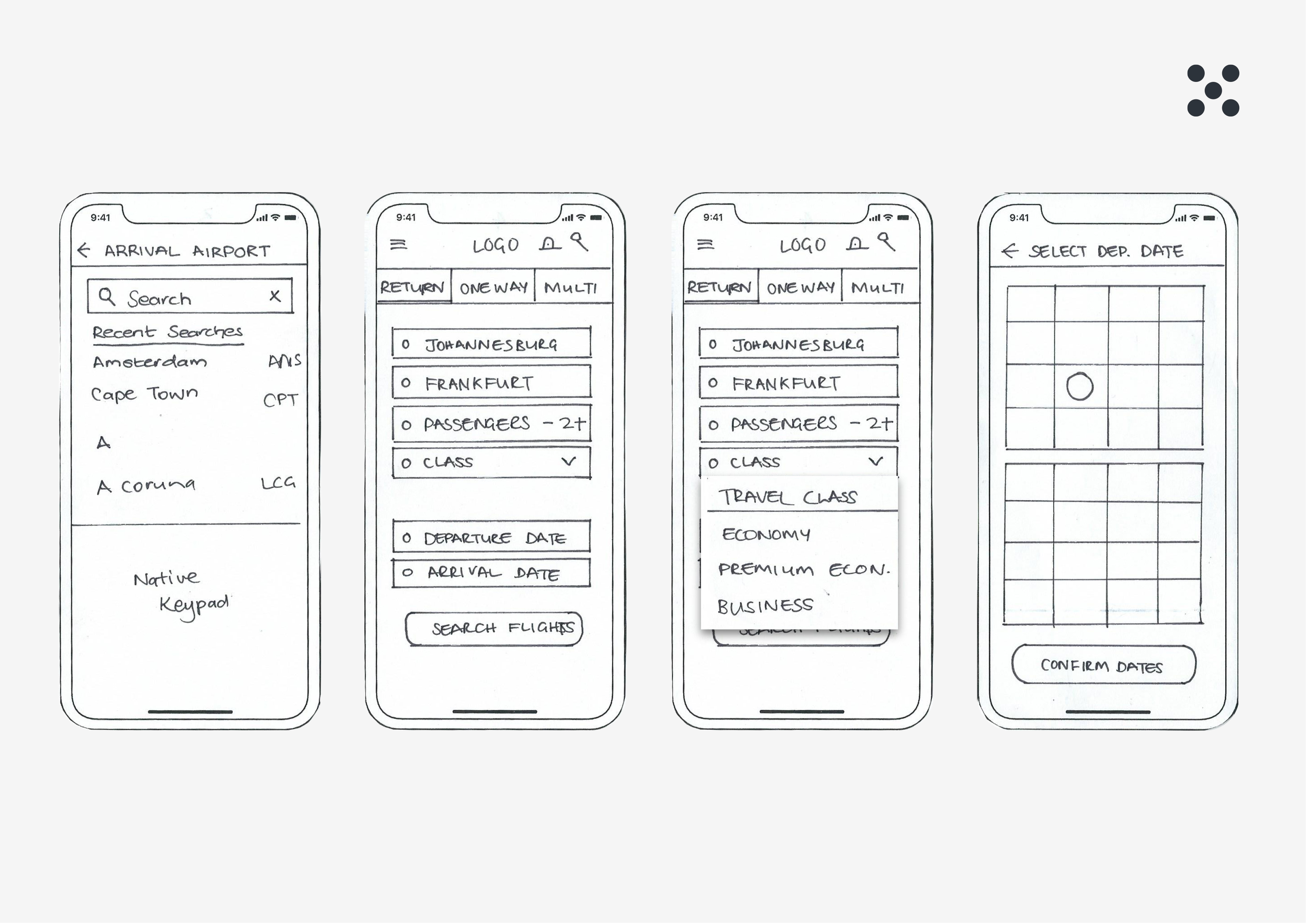
This was in fact a low-fi prototype. I sketched out each screen/iteration on individual pieces of paper and crudely went through the journey by hand as if they were real screen on a phone in front of me.

Physically interacting with the screens helped me identify issues I hadn’t thought of previously. I would go back and forth from here to my flow diagram and update accordingly.

Image

Detailed Sketching

Once I was happy with some rough sketches, I made more detailed drawings on individual pieces of paper which I could use to physically go through the journey and easily move around or change completely.

  • Image
    1. Date Selection Affordances

    Clearly highlighted active tab that would include animation.

  • Image
    2: Digestable Flight Selection

    Too much going on on this screen leading user to become overwhelmed and confused.

Designing Specific Solutions

I used the fast process of sketching to solve all the design problems I discovered through my research and analysis. Here a some specific solutions to problems I previously mentioned in my analysis.


1: Date Selection
I wanted to make the active tab very visible and animate the underline from "Departing" to "Return Date" to ensure the user would know what the next step is. I would refine this design further in the prototype.

2: Flight Selection
I redesigned how I this information would be presented to the user. There's a lot of information to process so I wanted it to be as clear and as scannable as possible. To achieve this, I used a simple list with specific emphasis on price after I learned this was the most important aspect for the customer.

THE PROCESS
4
Prototype

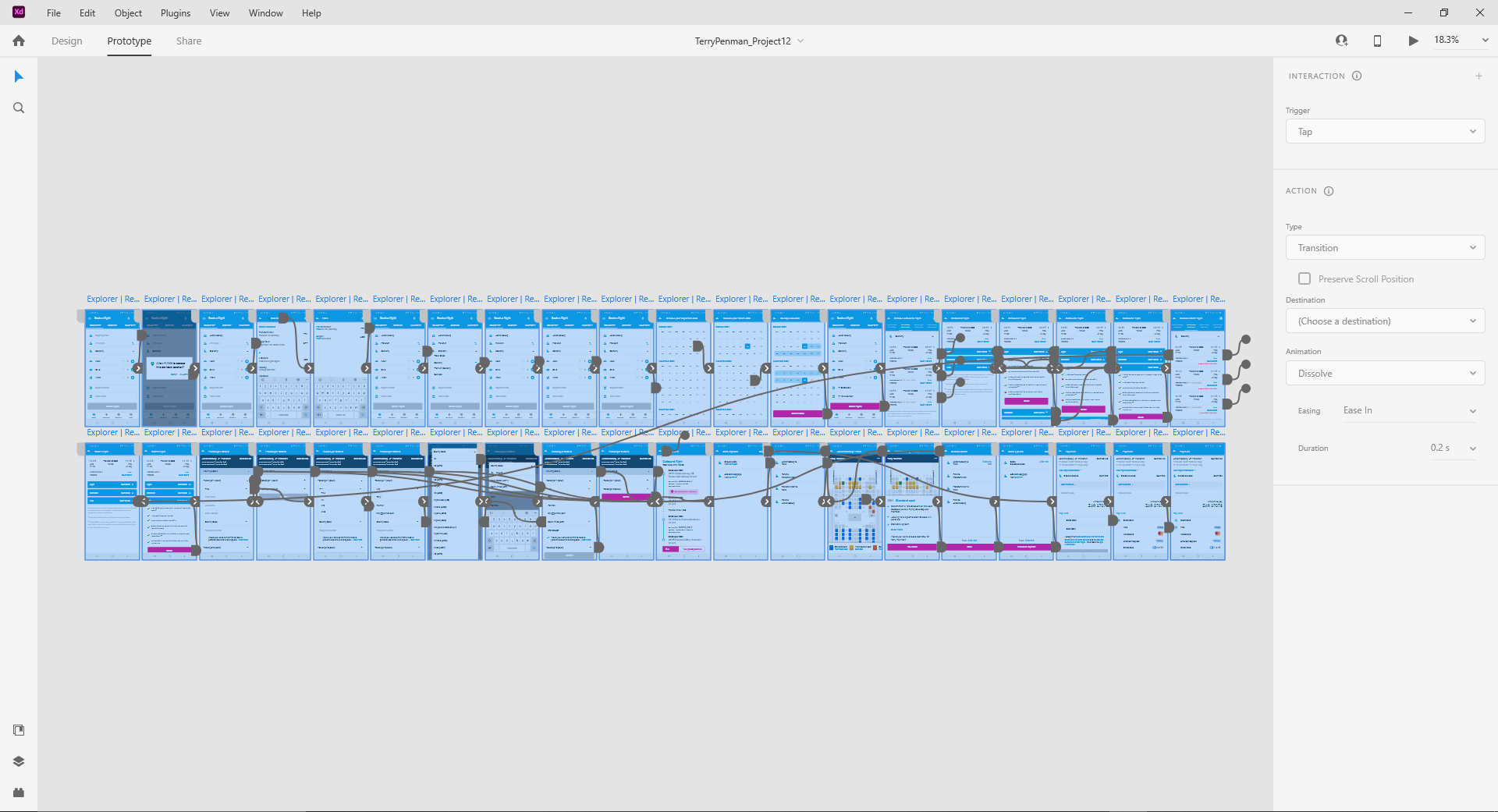
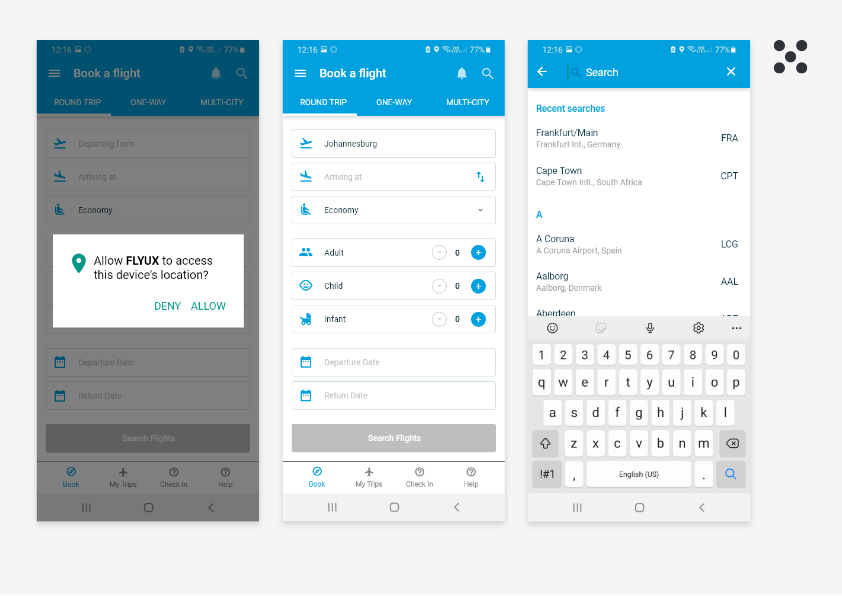
Let’s take this online, time to prototype. Transferring the the initial screens into XD was a relatively fast process as I had done the heavy lifting during my sketching so it was mostly as case of digitising what I had done, making improvements as I went along.

I decided on a medium fidelity prototype as there weren’t many forms or other types of validation or very detailed areas that might need addressing in a high fidelity prototype.

I used the native prototyping functionality in Adobe XD with some light animations to add some flare to the design.

image Prototype Interactions
Image

Interactive Prototype

I used this to validate my low-fi designs. While I enjoy this process, it can be difficult to know how much detail to go into and when to stop. I wanted my prototype to be exactly that, a prototype - it’s function is to test and validate, it does not need to do everything right now. I stopped at a point where I believed I had solved the problems found during research/analysis and where I was relatively happy with the layout/design.

View Interactive Prototype ↗
Image

Annotated Wireframes

Wireframes might be considered a subset of prototyping, however, they are huge undertaking and vital piece of work if you want to get your designs built by developers as you imagined. I found the most difficult and time consuming part was detailing every function that the forms should perform.

View Wireframes ↗

THE PROCESS
5
Testing

To be completed...

Conclusion

Outcomes & Learnings

To be completed...